

Status in Canada
Status in Canada keeps your own record of your permit, your key dates, your time in Canada and your entries and exits. It shows what your records show. It does not decide your status: IRCC does, and the footnote on every page reads Not an IRCC decision.
Who sees it
Section titled “Who sees it”Status in Canada is not on for every account. It opens when both of these are true:
- you have verified your identity, and
- your profile says you live in Canada.
It is hidden for Canadian citizens. When it is open, Status in Canada appears in the ImmiReport menu under Programs.
To open it, verify your identity in Settings. See Identity verification.
What the page shows
Section titled “What the page shows”Open Status in Canada.
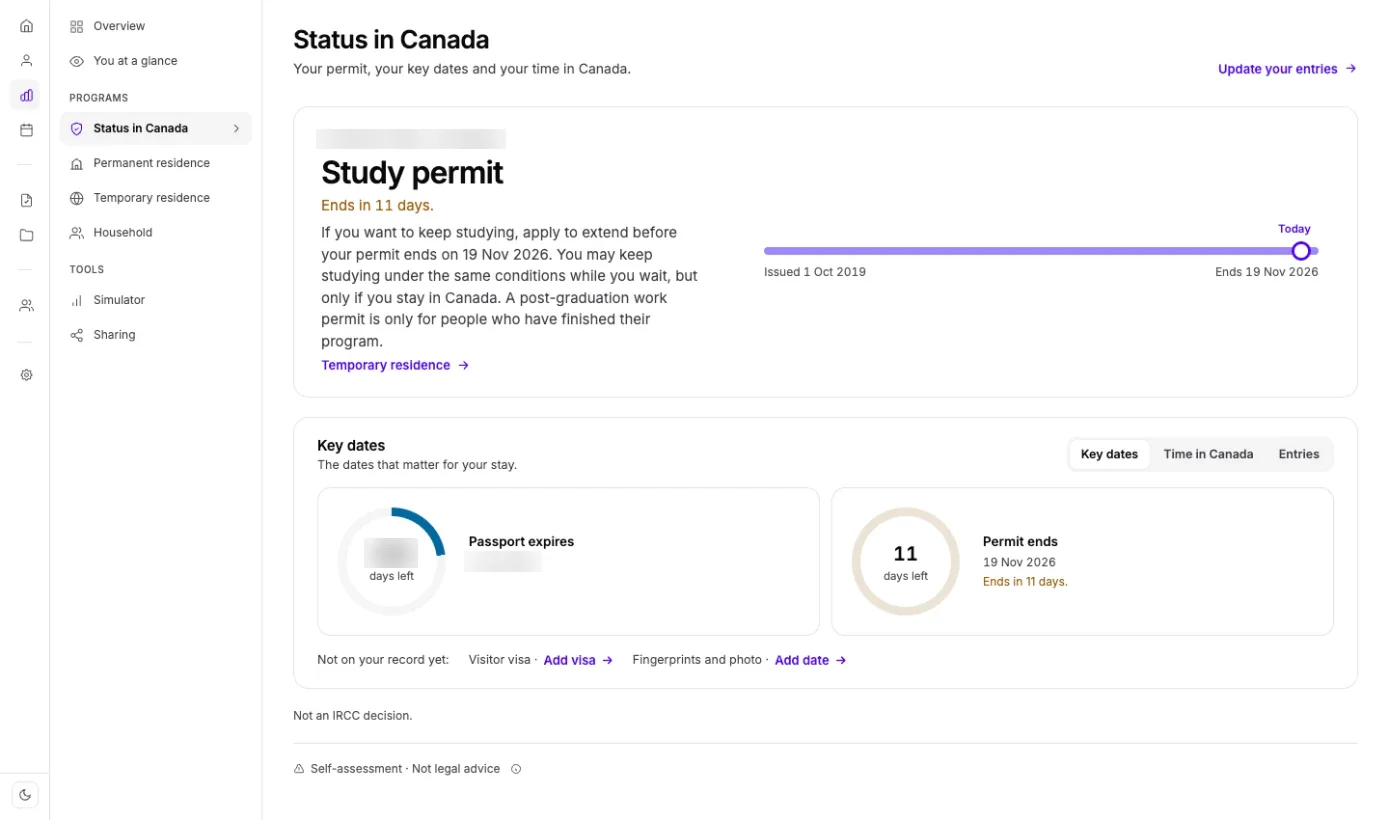
The top of the page names the status on your record and, for a permit, shows the end date and the days left, for example Ends 14 Mar 2027 · 130 days left. A bar shows how much of the term has passed. With no permit on your record, one line takes its place and a link opens the next step to add. When a study permit is ending or has ended, the page adds a short note and a link.
The tabs below it depend on whether you are a temporary resident or a permanent resident.
| You are | Tabs |
|---|---|
| A temporary resident | Key dates, Time in Canada, Entries |
| A permanent resident | Residency, Citizenship, Entries, Key dates |
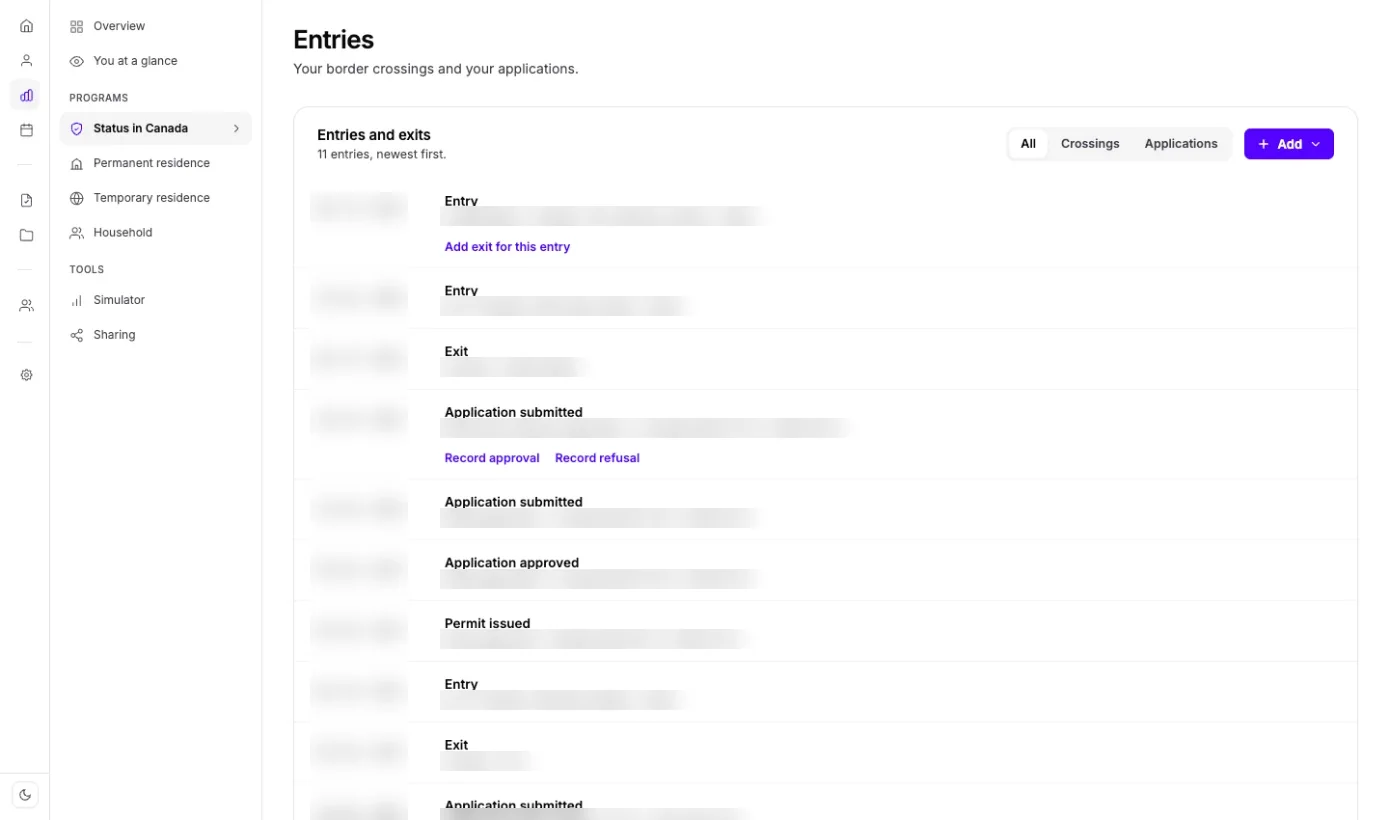
The Entries tab is always there. With nothing on your record it holds a short invitation and one button, Add your first entry. Once you have entries, the list ends with an Open Events link. Any other tab with nothing to show is left out.
Key dates
Section titled “Key dates”One tile per document, each with a dial of the days left: Passport expires, Permit ends (or the expiry of your permanent resident card), and Fingerprints and photo valid until. A temporary resident also sees the visa or eTA date when there is one. A document with no date does not get a tile. It is listed on one line, under Not on your record yet, with a link to add the date.
Time in Canada
Section titled “Time in Canada”For a temporary resident, a dial counts your days in Canada from your entries and exits, with a strip that draws your stays to scale.
Residency and Citizenship
Section titled “Residency and Citizenship”For a permanent resident, Residency counts your days in Canada as a permanent resident from your travel record. Citizenship counts physical presence days since you became a permanent resident. Both need the date you became a permanent resident. Without it the page asks for it.
Entries
Section titled “Entries”Your crossings and your permit, drawn to scale, with a list below. Each row has a date, a title and a line of detail. The link at the foot, Open Events, takes you to the page where you add and fix them.
Add or correct your entries
Section titled “Add or correct your entries”Events is its own page, and it has its own place in the ImmiReport menu, right after Status in Canada: Status in Canada, Events. This is where you add and fix what the rest of the page counts. On a phone, Events is one of the chips at the top of the page.
- Open Events from the menu. With nothing on your record, the Entries tab on Status in Canada also has an Add your first entry button that opens the form. Once you have entries, the page header names the next missing step, such as Add your application or Add your approval letter.
- Add the record. A permit needs an approval letter, and an approval letter needs an application, so the page asks for them in that order.
- Use the type filters to narrow the list. You can delete an entry; Lexpoint asks you to confirm.
Your permit dates, days in Canada and the tiles on the Overview update from what you record.
What it is not
Section titled “What it is not”- It is not a decision. IRCC decides your status, and the footnote says Not an IRCC decision.
- It is not a reminder service. It shows dates; it does not promise to tell you when one is near.
- It does not tell you whether you may work or study. Read your permit and IRCC’s decisions for that.
Related
Section titled “Related”- Identity verification: what it takes to open this page
- Reading your report: where Status in Canada sits in the menu and the Overview
- Your profile: your country of residence and your immigration status
- Getting help: booking a consultation about your status
Frequently asked questions
Why is there no Status in Canada in my ImmiReport menu?
It opens for people who have verified their identity and whose profile says they live in Canada. It is also left out for Canadian citizens. Verify your identity in Settings, check your country of residence in your profile, and the item appears in the Programs group.
Does Status in Canada tell me whether I am allowed to stay or work?
No. It shows the dates and entries on your record, and the page says so in its footnote, "Not an IRCC decision." IRCC decides your status. Check your own permit and IRCC's decisions before you act on a date.
Where do the dates come from?
From what you enter. Permit dates and entries come from your entries. Passport and fingerprints and photo dates come from the dates you add. A date you have not added shows as "Not on your record yet" with a link to add it.