

Certificates and licences
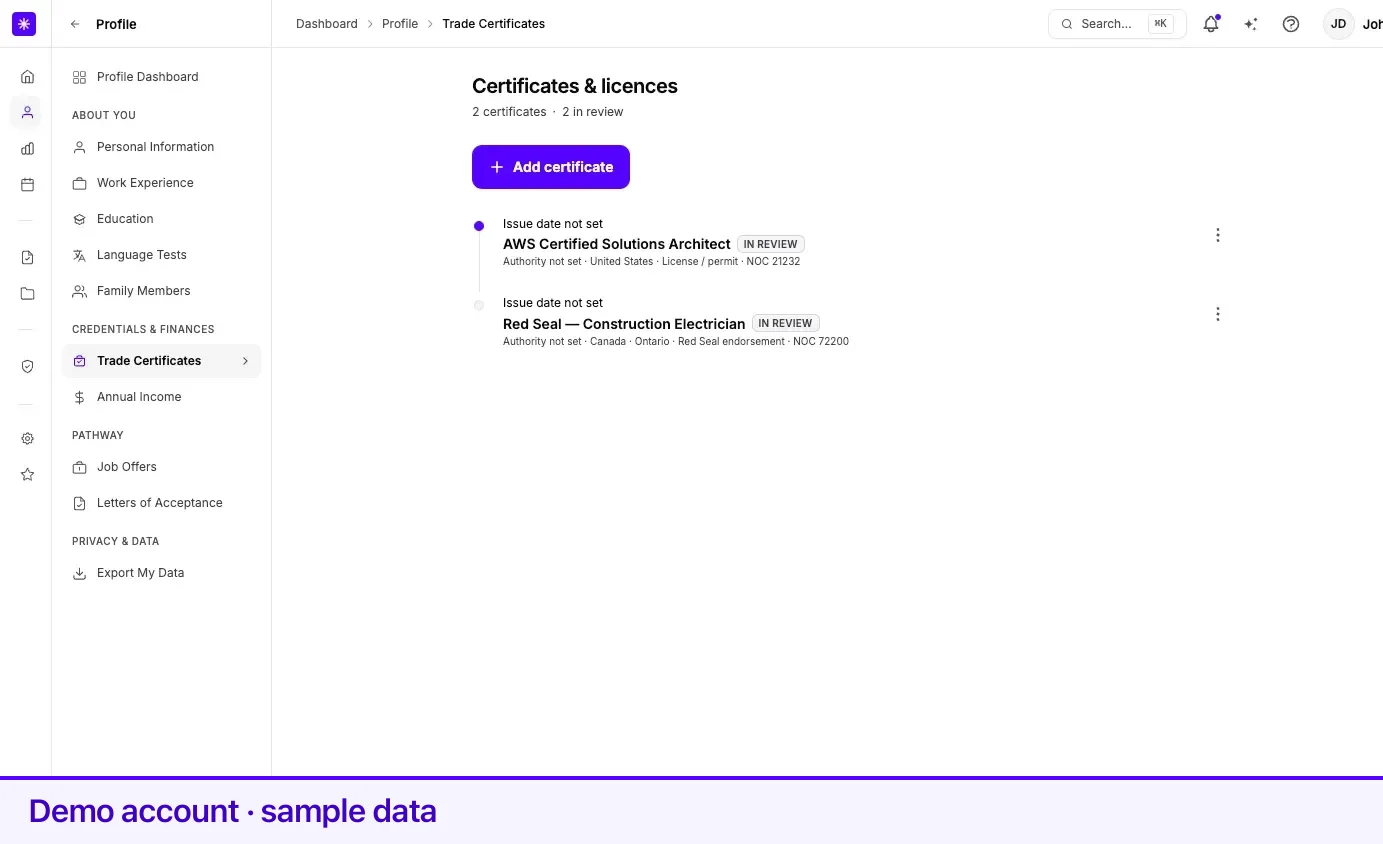
Profile → Certificates holds trade certificates, professional licences, and similar credentials. The page is headed Certificates & licences, and the line under it reads N certificates, adding N inactive and N in review when there are any.
Section 1 — Certificate
Section titled “Section 1 — Certificate”| Field | What it means | Required |
|---|---|---|
| License type | Red Seal endorsement, Certificate of qualification, Journeyperson, Apprentice, License / permit, or Other. Defaults to Red Seal endorsement. | Yes |
| License / certificate | Picked from Lexpoint’s licence catalogue. When you have linked an occupation, the list is filtered to credentials recognised for that NOC. Picking one sets Province / territory to the province that issues it. Choose Other — tell us about it if yours is not listed. | Yes |
| Certificate name | Free text. Appears only when you chose Other. Helper text: We’ll review your submission and add it to the catalog if valid. | Yes when Other is chosen |
Section 2 — Authority
Section titled “Section 2 — Authority”| Field | What it means | Required |
|---|---|---|
| Country | Where the credential was issued. Defaults to Canada. | Yes |
| Province / territory | Appears when the country is Canada. | Yes for Canadian credentials |
| Issuing authority | The regulator or body that issued it, from a list. Choose Other — enter manually if it is not there. | No |
| Authority name | Free text. Appears only when the authority is Other. | Yes when Other is chosen |
Section 3 — Occupation
Section titled “Section 3 — Occupation”| Field | What it means | Required |
|---|---|---|
| Linked occupation | A job from your work history. Rows carrying a Trade chip have listings in the licence catalogue. Choose Other (not in my work history) if the work is not recorded. | Yes |
| NOC 2021 code | Five digits. Appears only when the occupation is Other. | Yes when Other is chosen |
| Job title | Describes the role. Appears only when the occupation is Other. | Yes when Other is chosen |
Linking a job is how the credential gets its NOC. That link is also what filters the licence list in the Certificate section, so add the job to your work history first if you can.
Section 4 — Validity
Section titled “Section 4 — Validity”| Field | What it means | Required |
|---|---|---|
| Certificate or licence number | Marked Optional in the form. | No |
| Issue date | When it was issued. | No |
| Expiry date | Must be on or after the issue date. | No |
| Currently active | Toggle, on by default. Inactive licences are ignored for eligibility that requires an active credential. | No |
| Notes for our team (optional) | Free text — extra context such as the full credential name, governing body, or a web link. Used when your entry goes for review. | No |
Entries in review
Section titled “Entries in review”Choosing Other for the licence saves your own text rather than a catalogue entry. That record carries an In review marker and counts in the in review figure under the heading. The record is live on your profile straight away — the review is about getting the credential into Lexpoint’s catalogue, not about approving your data.
The list
Section titled “The list”Credentials are shown as a timeline — dated ones first, newest issue date first. Each row shows Issued {month} (or Issue date not set), the expiry, the certificate name, and a caption: issuing authority, country and province, licence type, NOC, and certificate number.
| Mark | Means |
|---|---|
| Inactive | Currently active is off. |
| In review | A user-submitted entry the team has not added to the catalogue yet. |
| Expired chip | The expiry date has passed. |
Selecting a row opens a panel with Credential and Validity — including Awaiting review by our team on an entry in review — and Your notes when you left any, plus Edit record →.
Adding, editing, and deleting
Section titled “Adding, editing, and deleting”- Open Profile → Certificates.
- Select Add certificate.
- Work through Certificate, Authority, Occupation, and Validity with Continue. Save on the last section adds the credential.
- On the list, the More actions menu offers Edit and Delete. Deleting asks Remove this certificate from your profile?
Related
Section titled “Related”- Work experience — add the job first so the occupation link and the filtered licence list work
- Education — academic credentials go there, not here
- How your profile is used — what recalculates when you add a credential
- Privacy and your data — download a résumé composed from these licences
Frequently asked questions
My certificate is not in the list. What do I do?
Choose "Other — tell us about it" and type the name. The entry saves immediately and is marked In review; Lexpoint's team checks it and adds it to the catalogue if it is valid. The Notes for our team box is where to put the full credential name, governing body, or a web link.
What does marking a certificate inactive do?
Inactive credentials are ignored anywhere an active credential is required. The record stays on your profile and its row shows an Inactive marker.
Why does the certificate form ask me to link a job?
The Occupation section ties the credential to a NOC. Picking a job from your work history supplies the NOC; if the work is not in your history, choose "Other (not in my work history)" and enter the NOC code and job title yourself.