

Identity verification
Identity verification proves you are who you say you are. It is a one-time check, not a recurring one, and it is separate from securing your sign-in.
The panel explains why Lexpoint asks: To comply with regulatory requirements and protect your account, we verify the identity of all users. Once verified, you will have full access to all platform features.
Find it at Settings → Account on the Identity tab. While you are unverified, that tab carries an amber dot and the Account row on the settings index shows an Unverified badge.
Before you start
Section titled “Before you start”The panel lists three requirements:
- Government-issued photo ID — passport, driver’s licence, or national ID card
- A device with a camera — smartphone, tablet, or laptop
- Approximately 2–3 minutes to complete
Verifying
Section titled “Verifying”- Open the Identity tab.
- Press Begin Verification.
- The verification provider’s flow opens. Follow it — photograph your ID and yourself as prompted.
- Return to Lexpoint. The panel moves to Verification in progress, then to Identity Verified once the decision comes back.
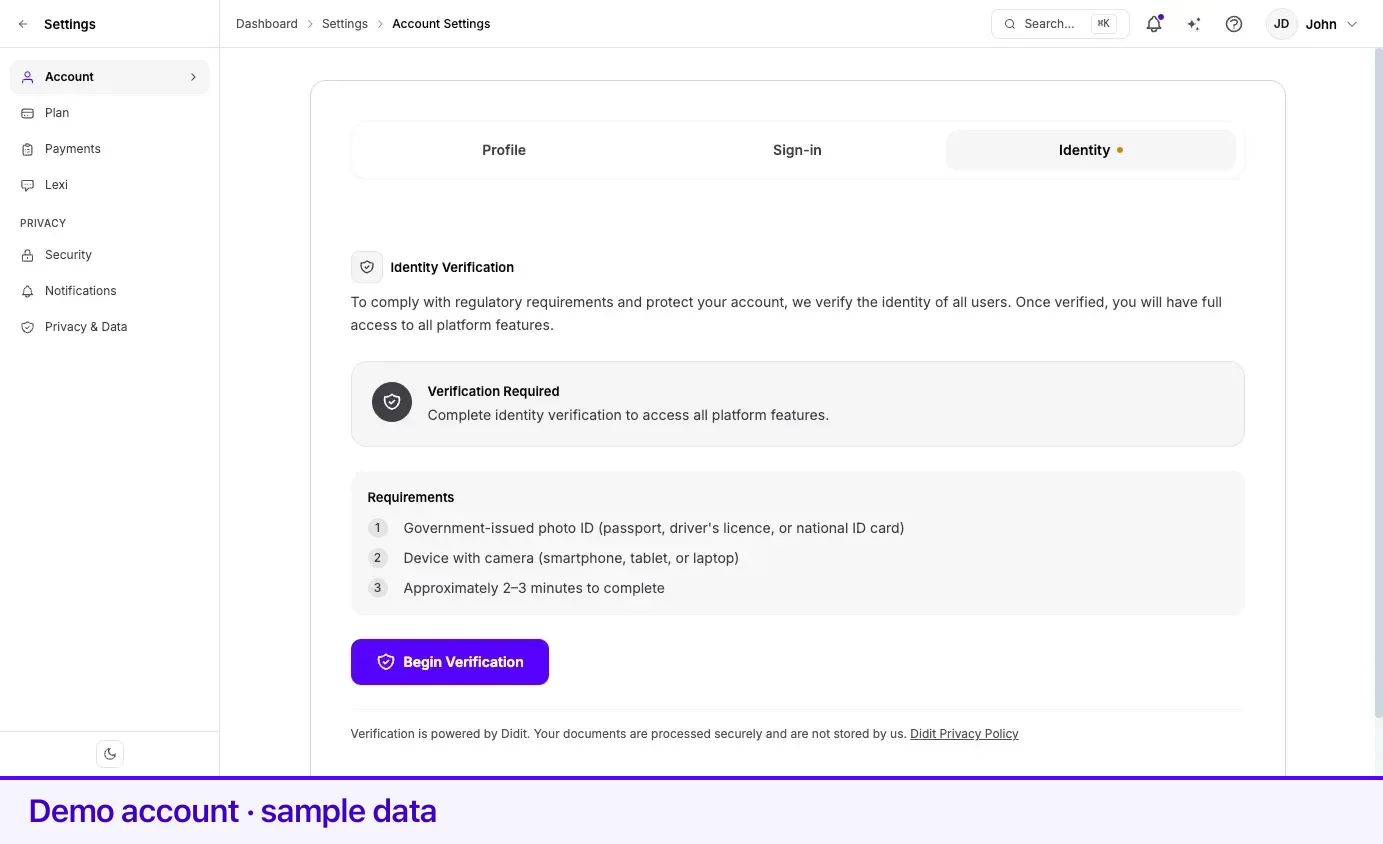
If self-serve verification is switched off, the Begin Verification button does not appear. Instead the panel reads Self-serve identity verification is currently unavailable. Contact Lexpoint staff to verify your identity — Lexpoint staff can complete the check for you.
What each status means
Section titled “What each status means”| Status on the panel | What it says | What to do |
|---|---|---|
| Verification Required | Complete identity verification to access all platform features. | Press Begin Verification |
| Verification in progress | Your verification is being reviewed. This usually takes a few minutes. | Wait — or use Start over if it stalls |
| Identity Verified | Your identity has been confirmed. You have full access to all features. | Nothing; the verified date is shown |
| Verification Declined | We were unable to verify your identity. Please try again or contact support. | Try again, or contact support |
| Verification Expired | Your previous verification has expired. Complete a new verification to restore full access. | Run a new verification |
If it gets stuck on “in progress”
Section titled “If it gets stuck on “in progress””A Start over link appears beneath the in-progress message when the attempt was abandoned, or when it has been sitting for at least ten minutes without a decision. It resets you to unverified so Begin Verification becomes available again. Nothing you already submitted is lost from the record — the earlier attempt is kept.
If you are watching the page when the ten minutes elapse, the link appears on its own. You do not need to reload.
After you are verified
Section titled “After you are verified”Verified once, verified everywhere. Verification attaches to you as a person, not to any one organization or case, so a second organization on Lexpoint does not send you through it again.
Details confirmed by the provider — your name, date of birth, and the address on your ID — can flow into your profile so you are not retyping what the document already proves.
An employment letter request needs a confirmed identity. Until then, the request page shows Identity not confirmed in place of the form, or Identity check in progress while a check is running — see Requesting an employment letter.
If you arrived here from a proposal or a case that required verification, the verified panel shows Continue to your proposal or Continue to your case, with Redirecting you back in a moment… — Lexpoint takes you back automatically after a second or so. Select the link if you do not want to wait.
Related
Section titled “Related”- Two-step verification — a different thing: securing sign-in, not proving identity
- Your account details — the name and phone on your account
- Your profile — where verified details land
- Getting help — proposals and retainers, which can require verification first
Frequently asked questions
Does Lexpoint keep a copy of my passport from this check?
No. The panel states that your documents are processed securely and are not stored by us. The check runs through a specialist verification provider, and the provider's own privacy policy is linked from the panel.
My verification has been "in progress" for a long time. What do I do?
A Start over link appears on the panel when an attempt has been sitting for at least ten minutes, or when the attempt was abandoned. Use it, and the panel returns to Begin Verification.
I am verified with one organization. Do I have to verify again for another?
No. Verification is global to your person, not to a relationship. Once verified, you are verified across Lexpoint.
Is identity verification the same as two-step verification?
No. Identity verification proves who you are, once. Two-step verification protects your sign-in, every time. They are separate settings and one does not substitute for the other.