

Notification preferences
Lexpoint notifications are set at Settings → Notifications. The page has two tabs: Email and Telegram.
Changes save as you make them — there is no separate save button for the toggles. The page says so: Changes are saved automatically. If you connect Telegram, enabled notifications will also be sent there.
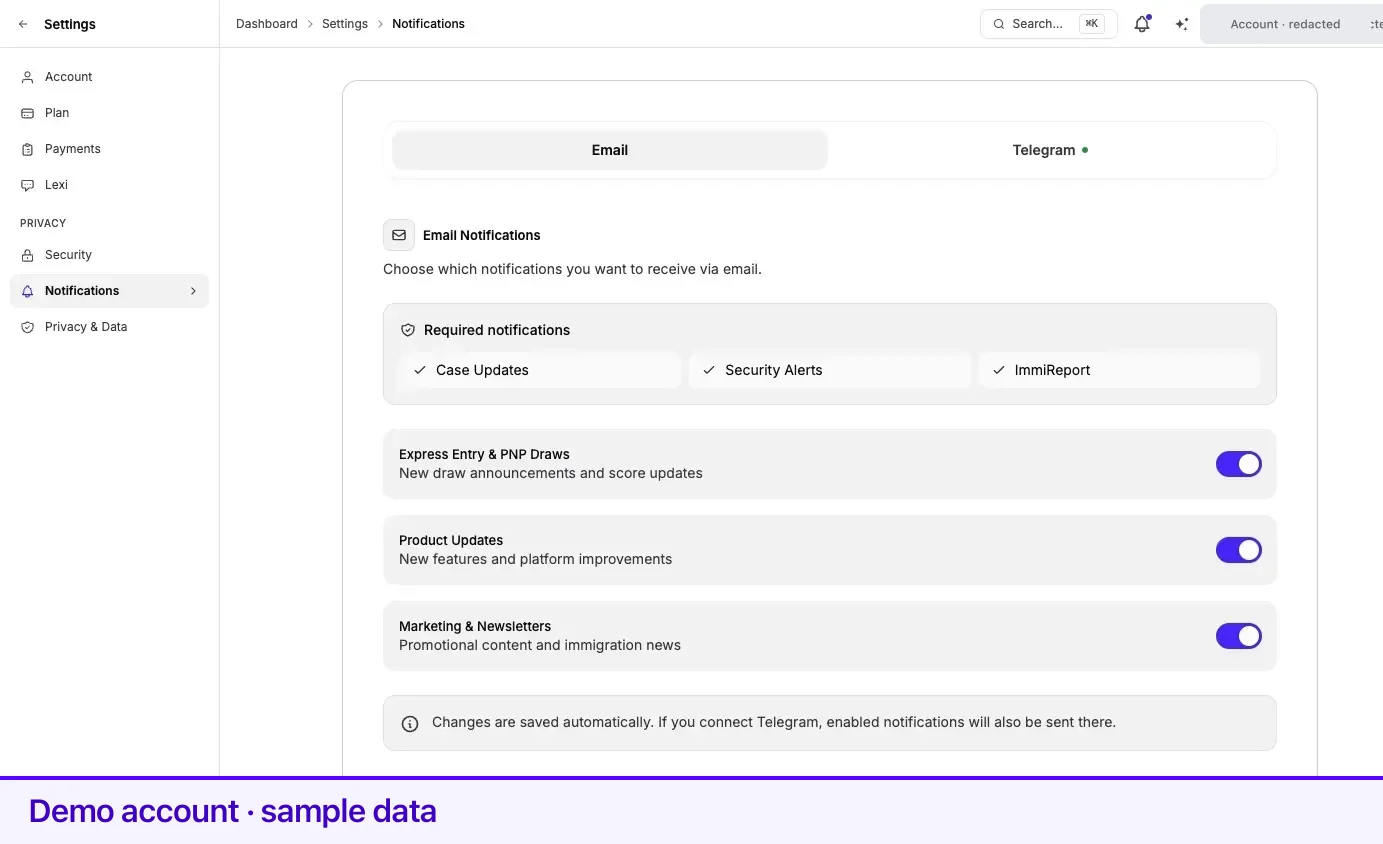
Required notifications
Section titled “Required notifications”Three categories are always on and have no toggle. They carry information you need in order to act on your own file, and turning them off would mean missing a deadline or a security event.
| Category | What it covers |
|---|---|
| Case Updates | Activity on a case you are part of. |
| Security Alerts | Events that affect the security of your account. |
| ImmiReport | Changes to your report. |
Optional notifications
Section titled “Optional notifications”These three are yours to control. Each is a toggle; the change takes effect immediately.
| Toggle | What you receive | Default |
|---|---|---|
| Express Entry & PNP Draws | New draw announcements and score updates. | On |
| Product Updates | New features and platform improvements. | On |
| Marketing & Newsletters | Promotional content and immigration news. | On |
Telegram
Section titled “Telegram”Telegram is an additional channel, not a replacement for email. You can connect it from the Telegram tab here, or with Connect → on Integrations. Both show the same QR code and six-digit code for the @immiwatch_bot bot. Replies from your phone are covered on Integrations.
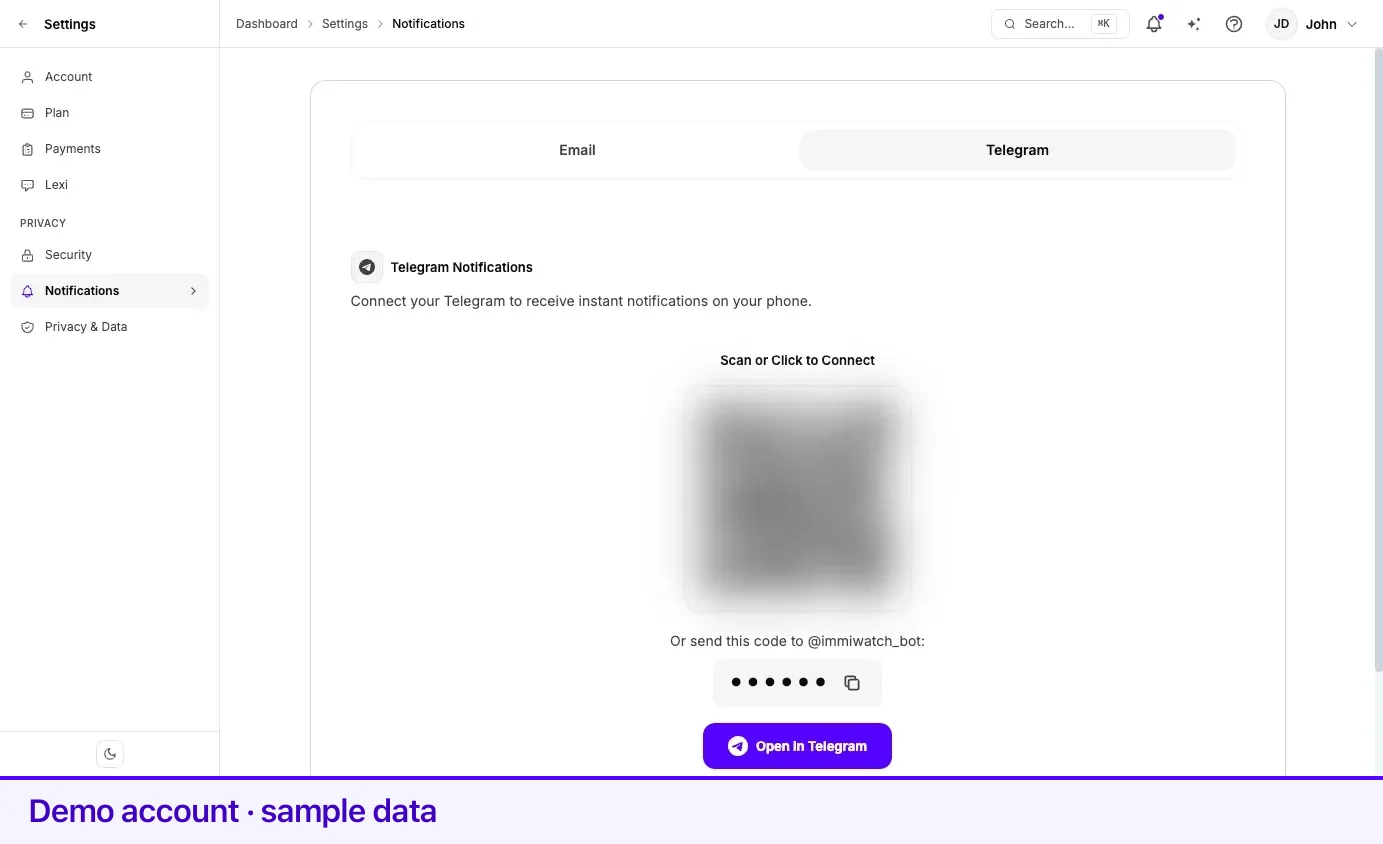
Disconnecting Telegram from the same tab stops Telegram messages immediately. Your email preferences are untouched.
Related
Section titled “Related”- Two-step verification — security alerts are one of the required categories for a reason
- Integrations — connecting Telegram, replies from the bot, and disconnecting
- The updates feed — in-app notifications, separate from email
- Privacy and your data — what Lexpoint stores about you
Frequently asked questions
Can I turn off all Lexpoint emails?
No. Case updates, security alerts, and ImmiReport notifications are required and cannot be switched off, because they carry information you need in order to act on your own file. Draw updates, product updates, and marketing are optional and can be turned off at any time.
Why am I still getting emails after turning everything off?
The three required categories remain on by design. If an email you are receiving is not a case update, a security alert, or an ImmiReport notification, report it through Help and Support.
Do notification settings affect Telegram too?
No. Email and Telegram are separate tabs on the same page. Disconnecting Telegram stops Telegram messages and has no effect on email.