

Onboarding, step by step
Onboarding is the shortest path from a new account to a dashboard that says something. It asks four questions — five if Lexpoint does not already know your name — and none of them need a document in front of you.
You arrive at /app/onboarding automatically on your first
sign-in. You cannot leave it for the rest of the app until it is finished; every app page bounces
you back here while your profile is missing a required answer.
A stepper down the left edge shows the steps by name — Name, Location, Status, Goal, Birthday — and marks the ones behind you.
Before you start
Section titled “Before you start”Nothing to gather. These are facts about you, not documents. Work history, education, and language results come later, in your profile.
1. Name
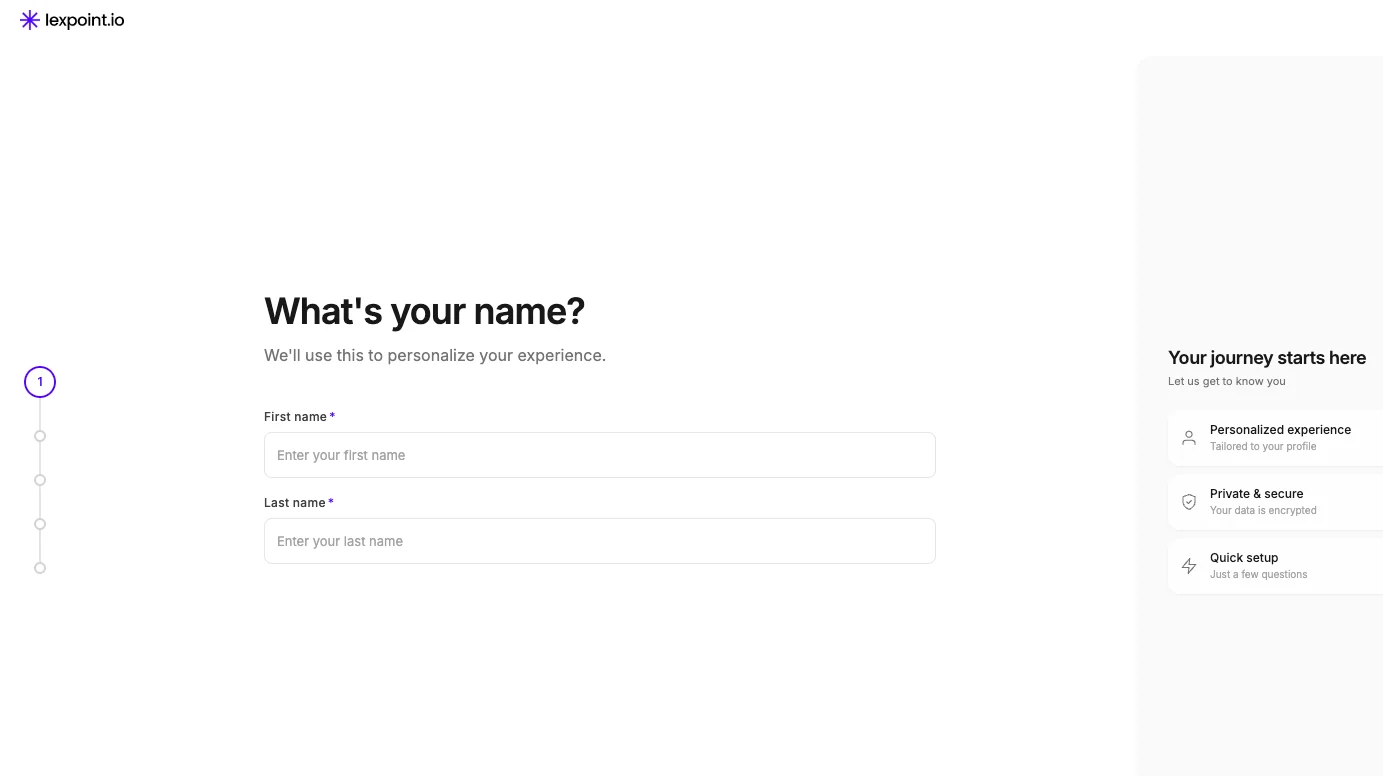
Section titled “1. Name”What’s your name? — First name and Last name, both required.
This step appears only if Lexpoint does not already have your name. Signing up with Google brings your name across, so Google users skip straight to Location; signing up with a magic link does not, so email users are asked.
2. Location
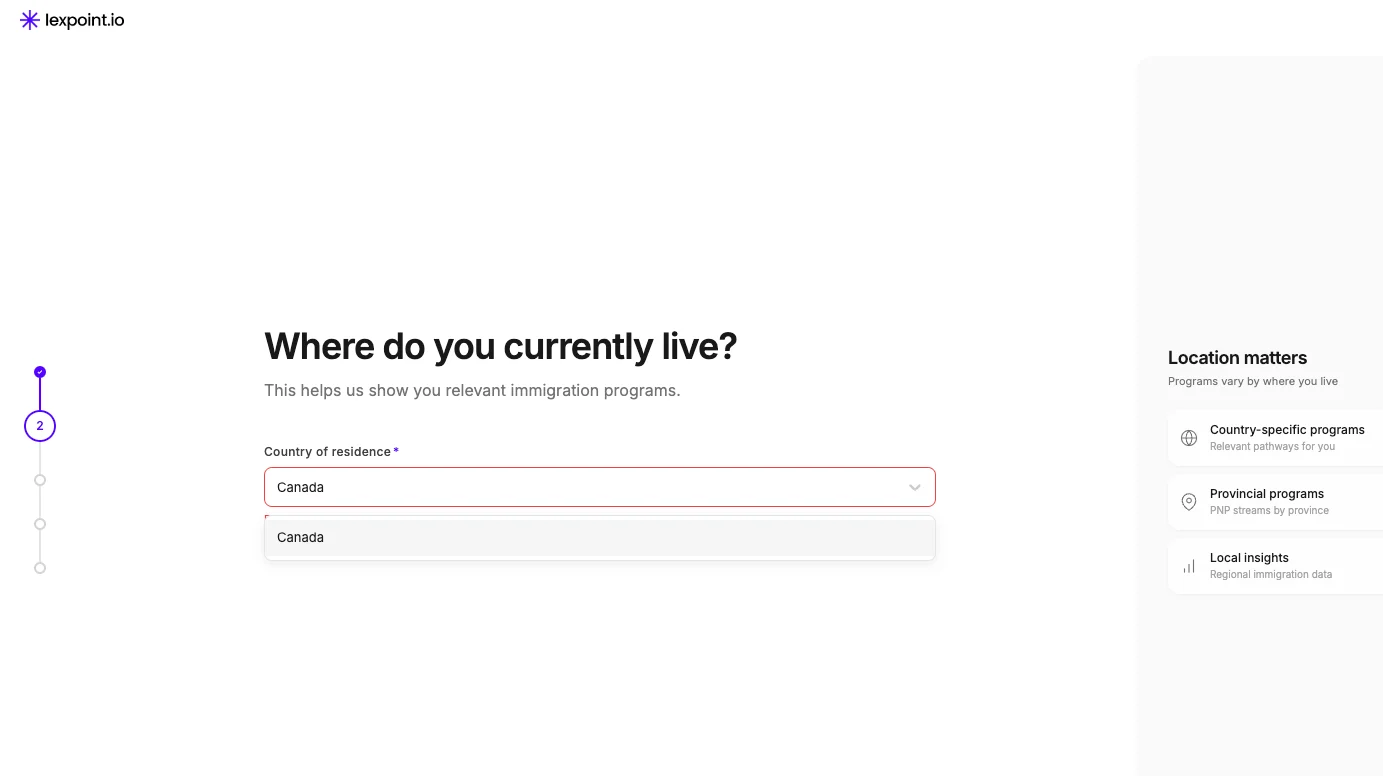
Section titled “2. Location”Where do you currently live? — Country of residence, required, chosen from a searchable list.
Answering Canada adds a second required field, City, also a searchable list. Everywhere else asks for the country only.
Where you live is the first thing that narrows what the rest of the product shows you, which is why it is asked before status and before goal.
3. Status
Section titled “3. Status”What’s your status in your country of residence — Immigration status, required. Seven options:
| Option |
|---|
| Citizen |
| Permanent Resident |
| Temporary Worker |
| International Student |
| Visitor |
| Refugee |
| Other |
A second field, Country of citizenship, then appears and is required — unless you chose Citizen, in which case Lexpoint fills it in with the country you gave on the previous step and does not ask.
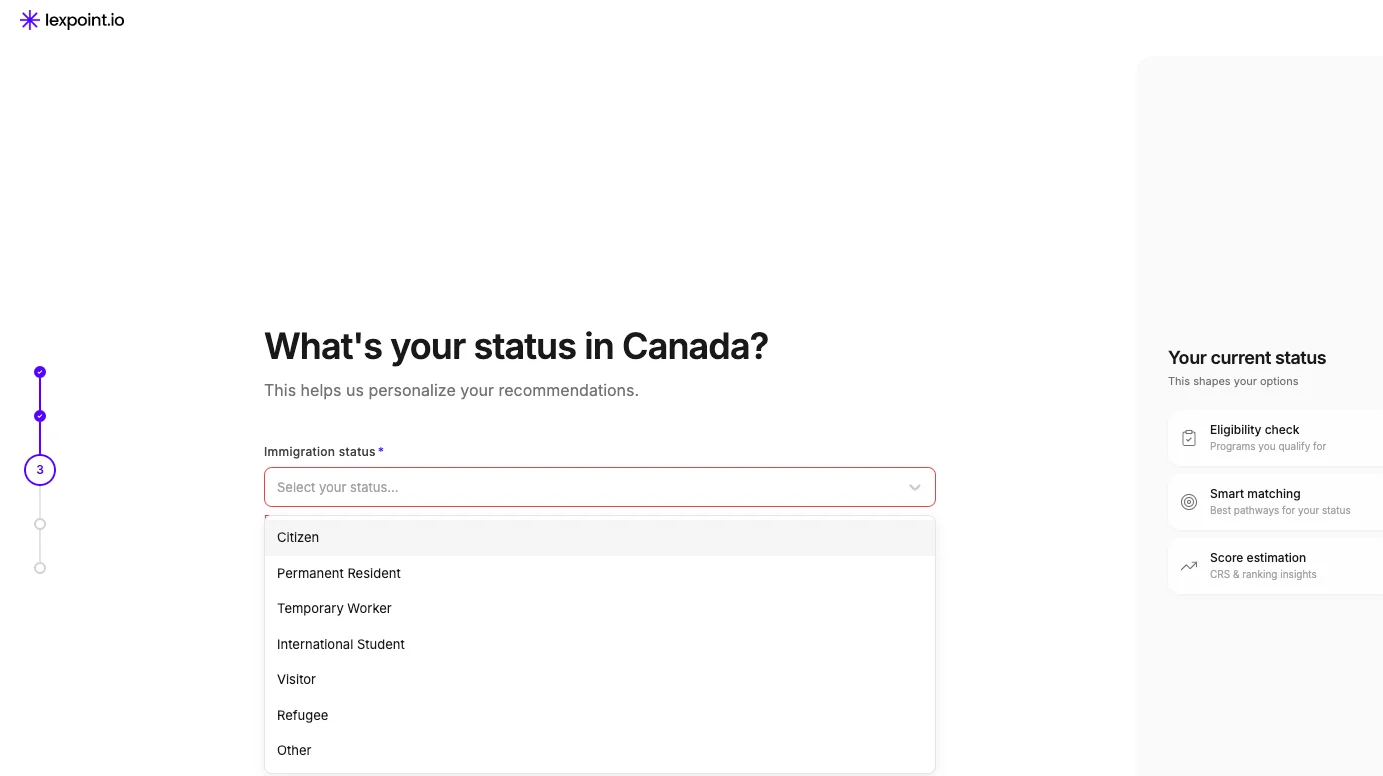
One list is trimmed here: if you live in Canada and your status is anything other than Citizen, Canada is removed from the citizenship list. The two answers would contradict each other.
4. Goal
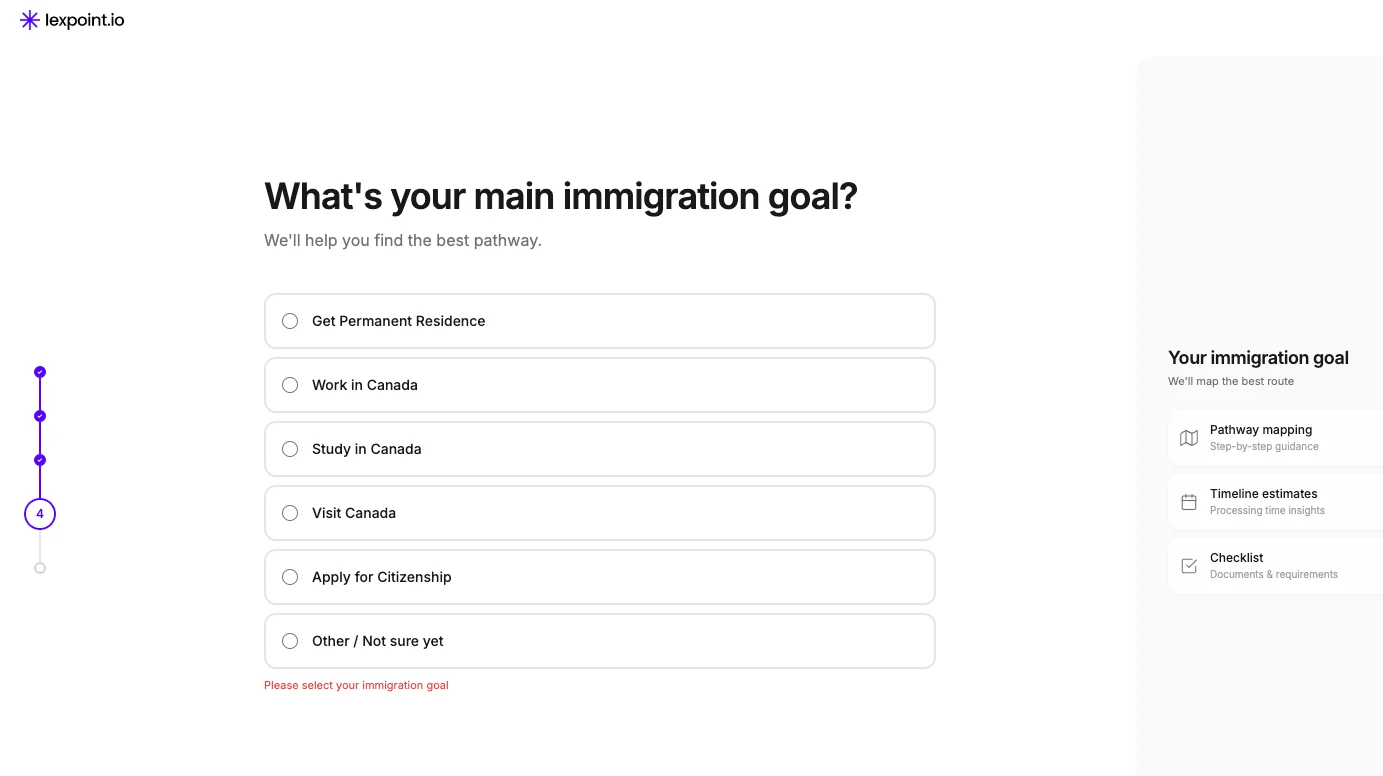
Section titled “4. Goal”What’s your main immigration goal? — required, chosen from radio options:
| Goal |
|---|
| Get Permanent Residence |
| Work in Canada |
| Study in Canada |
| Visit Canada |
| Apply for Citizenship |
| Other / Not sure yet |
The list you see is filtered by your last two answers:
- Canadian citizenship — only Other / Not sure yet.
- Living in Canada as a Citizen — only Other / Not sure yet.
- Living in Canada as a Permanent Resident — Apply for Citizenship and Other / Not sure yet.
- Everyone else — the full list.
Other / Not sure yet is a real answer, not a failure to answer. Pick it if you are still deciding.
5. Birthday
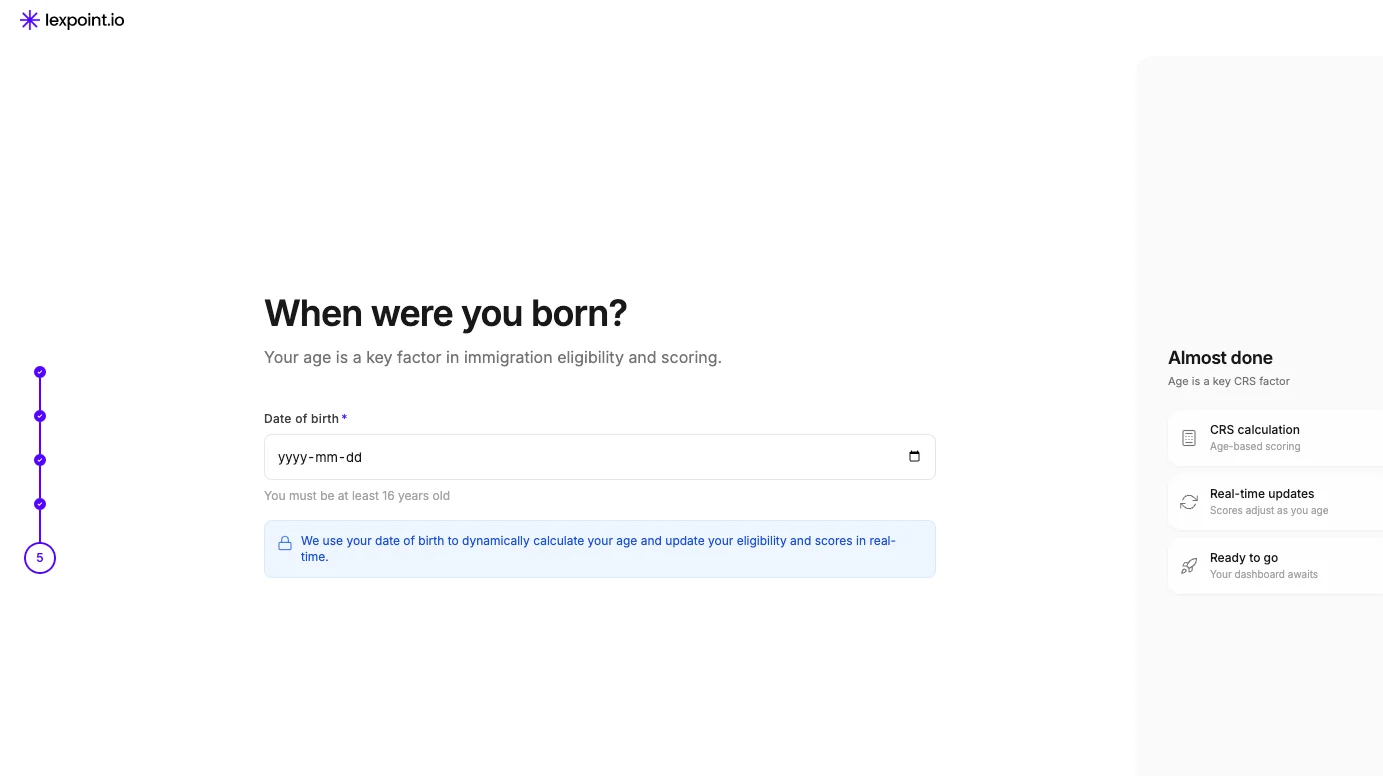
Section titled “5. Birthday”When were you born? — Date of birth, required, entered on a date picker limited to ages 16 to 100. The screen states: We use your date of birth to dynamically calculate your age and update your eligibility and scores in real-time.
Lexpoint stores the date rather than the age, so the scores it shows you move on their own as time passes. You never have to come back and correct your age.
Finishing
Section titled “Finishing”The button on the last step reads Complete Setup. Everything you entered is submitted at that moment — the earlier steps do not save as you go.
A confirmation takes over the screen — Welcome aboard — and after a couple of seconds you are sent to your dashboard, or back to whichever page you were originally heading for.
Moving around
Section titled “Moving around”- Back returns to the previous step with your answer intact.
- Continue validates the current step before advancing. An incomplete or invalid answer stops you there, with the problem named under the field.
- The small control in the bottom-left corner cycles the page between light, dark, and matching your system setting.
Related
Section titled “Related”- Your first look at the dashboard — what these answers produce
- Your profile — where these answers live afterwards, and everything else Lexpoint asks
- Free and Pro — what a free account gives you once you are in
- Program research — immigration programs and eligibility rules, which Lexpoint documentation deliberately does not cover
Frequently asked questions
Can I skip onboarding and look around first?
No. Lexpoint sends you back to onboarding on every attempt to open an app page until your name, date of birth, country of citizenship, and country of residence are all on file. The dashboard is calculated from those answers, so an empty profile would produce an empty dashboard.
Does "Continue later" save what I have typed?
No. Nothing is saved until the last step. Continue later signs you out, and the next sign-in starts the questions again from the top.
Why does the goal list look shorter than I expected?
The list is filtered by the status and citizenship you gave on the previous step. Lexpoint hides goals that do not follow from the answers you have already given.
Can I change these answers later?
Yes. Every answer lives in your profile and can be edited there afterwards.