

Sign-in methods
Lexpoint has no password. You sign in either with Google or with a magic link sent to your email address, and each method you have used is listed at Settings → Account on the Sign-in tab.
That design removes the most common way accounts are lost. There is no password to reuse across sites, leak in a breach, or hand to a convincing phishing page.
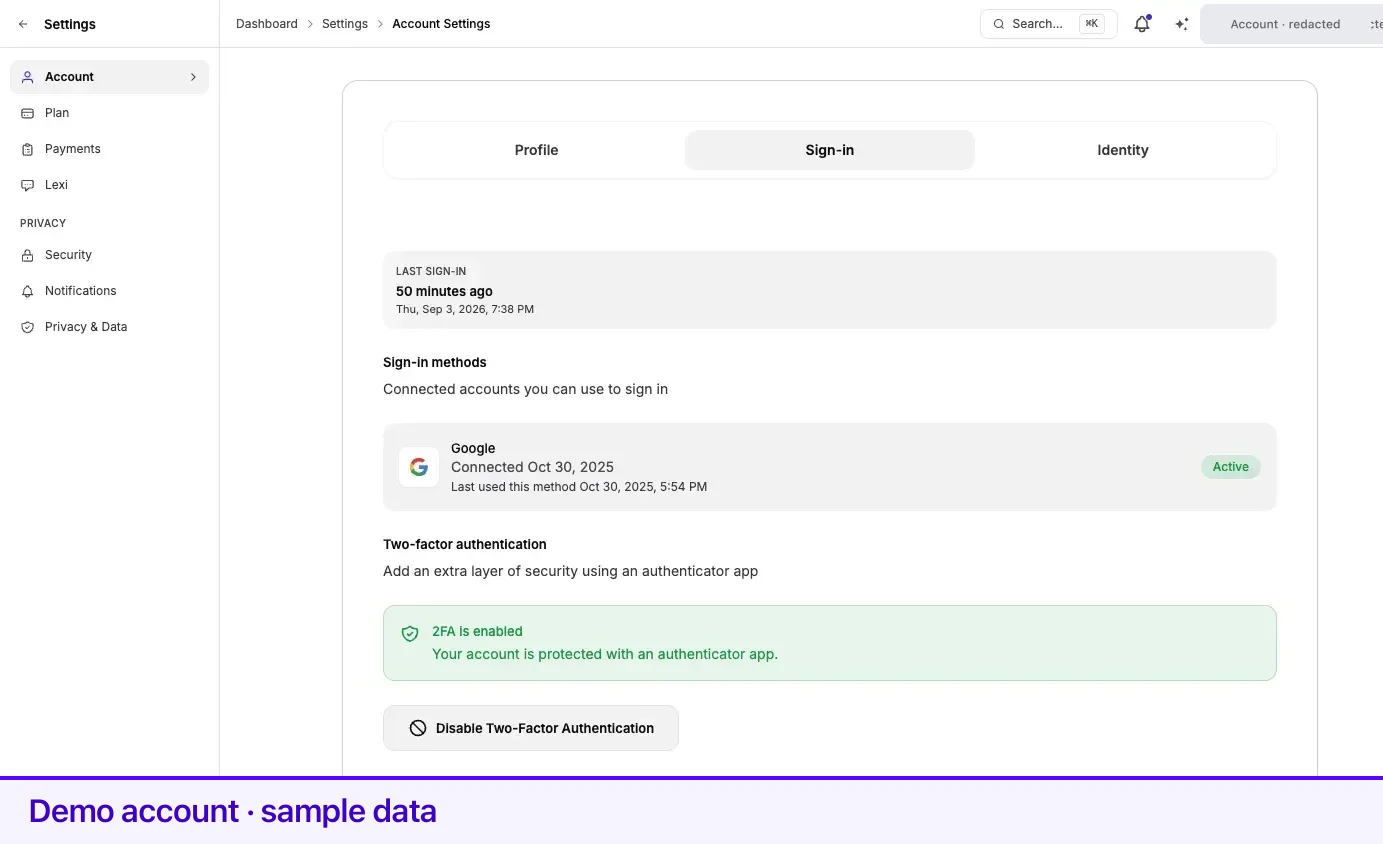
Sign-in methods
Section titled “Sign-in methods”The panel — Connected accounts you can use to sign in — lists one row per method:
| Row | What it means |
|---|---|
| You sign in with Continue with Google | |
| Email (Magic Link) | You sign in with a one-time link sent to your email address |
Each row shows the date the method was connected, when you last used this method, and an Active badge.
Any listed method signs you in to the same account. Which one you used last does not change what you see.
Last sign-in
Section titled “Last sign-in”Last sign-in sits at the top of the Sign-in tab: how long ago, then the exact date and time.
Read it, occasionally. It, and the Last used this method line on each connected account, are the two places where an unexpected sign-in would surface. A time or a method you do not recognise is worth reporting through Help & Support immediately.
Two-factor authentication
Section titled “Two-factor authentication”The last card on this tab is Two-factor authentication — Add an extra layer of security using an authenticator app. It reads 2FA is not enabled until you set it up, then Your account is protected with an authenticator app.
Turning it on is worth the two minutes: without a password, your email inbox and your Google account are the only things standing between someone and your immigration file. The full walkthrough is on Two-step verification.
Related
Section titled “Related”- Two-step verification — the setup steps, and what sign-in looks like afterwards
- Your account details — why the email behind these methods cannot be changed
- Access and sharing — access other people hold, which sign-in security does not cover
- Getting started — signing up and signing in for the first time
Frequently asked questions
How do I change my Lexpoint password?
There is no password to change. Signing in uses Google or a magic link sent to your email — the sign-in page has no password field, so there is no password for anyone to steal or for you to rotate.
How do I know whether someone else has signed in as me?
Open Settings → Account and select the Sign-in tab. Check Last sign-in at the top, and Last used this method on each connected account. A time you do not recognise is worth reporting through Help and Support.
Can I have both Google and email sign-in on one account?
Yes. Each method you have used appears as its own row under Sign-in methods, and any of them signs you in to the same account.