

Review and verification
A file is not finished when the upload bar reaches the end. Between arriving and being usable it is fingerprinted, often read automatically, and eventually judged by a person. This page follows that sequence.
What happens the moment a file arrives
Section titled “What happens the moment a file arrives”Three things happen before anyone looks at it, in this order:
- The file is stored in a private area that is not reachable by a public link. Every later view or download goes through Lexpoint and re-checks who is asking.
- Structural facts are recorded straight from the bytes — a SHA-256 checksum, whether it is a PDF, its page count, and whether it is encrypted or permission-restricted. This is arithmetic, not interpretation, and it never blocks the upload. See Supported files and limits.
- The file is marked as awaiting review. Every file starts in the same state, no exceptions.
The three states a file can be in
Section titled “The three states a file can be in”A file carries its own review state, separate from the state of the requirement it was uploaded against.
| State | What it means |
|---|---|
| Pending | The file has been received and nothing has been decided about it. |
| Accepted | The file has been judged sufficient for what it was uploaded against. |
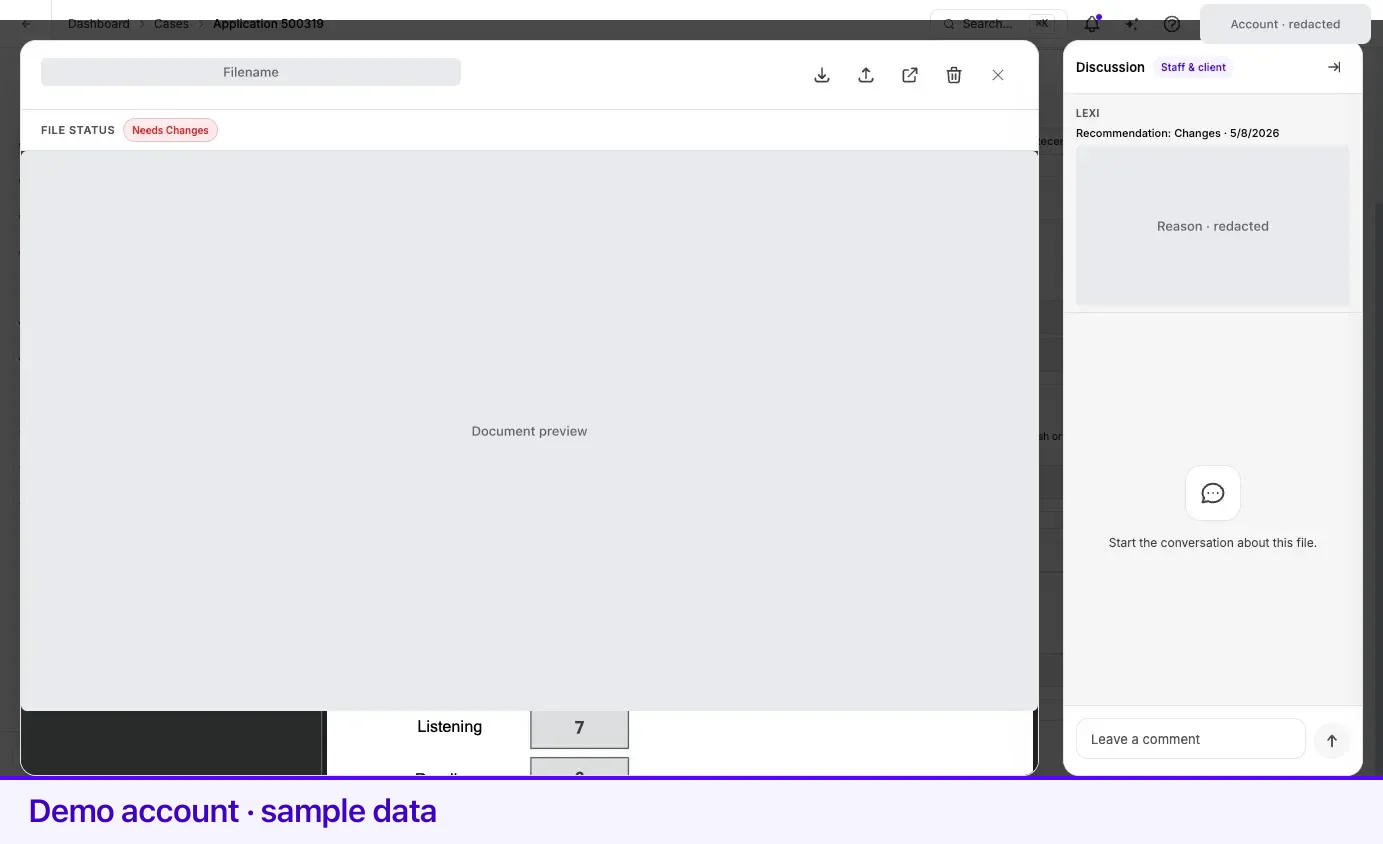
| Needs Changes | The file will not do as it is, and a reason is recorded with it. |
A requirement can hold several files, so the requirement’s own status is an aggregate of the files underneath it, not a copy of any one of them. Those requirement statuses are covered in the Cases section.
The automated first look
Section titled “The automated first look”For many document types Lexpoint runs an automated analysis as soon as the file lands. When it runs, it reads the file, writes a summary into the conversation for that requirement, and sets the file’s review state to Accepted, Needs Changes, or leaves it Pending when it cannot make the call. Its summary becomes the recorded reason on the file.
This does not happen for every file. The analysis only runs where an assistant is configured for the organization handling your case and where that document type has a reader available; otherwise the file stays Pending until a person gets to it.
Some documents are meant to belong to someone else — a host’s, sponsor’s, or inviter’s document, or proof of a family member’s status. For those requirements, a name that differs from yours is expected, and the analysis does not send the file back for that reason alone.
Treat the automated result as a first pass that catches obvious problems — an unreadable scan, a missing page, the wrong document — early, rather than three weeks later.
Human review
Section titled “Human review”Only your representative’s team can change a file’s review state. The action is refused for client accounts, and it is also refused once the application has been locked for submission — at that point the file is part of a finished package and is no longer editable.
When a file is set to Needs Changes, a reason is recorded alongside it. That reason is the useful part: it tells you what to fix rather than that something is wrong.
What acceptance changes
Section titled “What acceptance changes”Accepting a file renames it. The new name is built from what the document is and whose it is —
roughly DocumentLabel-LastName-FirstName.pdf — with a numbered suffix when several files sit under
the same requirement.
The reason is assembly. An application eventually becomes one ordered package, and a package built
from Passport-Doe-Jane.pdf and Passport-Doe-John.pdf is reviewable by a human being in a way
that one built from scan001.pdf and IMG_4471.jpg is not.
If your representative has set a specific name on a file, that name is kept and acceptance does not overwrite it.
How you find out
Section titled “How you find out”When a file ends up Accepted or Needs Changes, Lexpoint notifies you by email, and by Telegram if you have connected it. The notification names the requirement and the file, says which of the two outcomes it was, and links you back into Lexpoint — the full detail, including the reason, stays in the product rather than being copied into your inbox.
Files that are still pending do not generate a notification. Neither does a file being reset to pending.
Case notifications are one of the categories that cannot be switched off, for the reason described in Account settings.
Related
Section titled “Related”- Supported files and limits — the checks that run before review
- Reusing a document — what an accepted file lets you skip later
- Your document vault — where reviewed files are listed
- Cases — requirement statuses, which aggregate the files beneath them
Frequently asked questions
Can I mark my own document as accepted?
No. Changing a file's review status is restricted to your representative's team — an attempt from a client account is refused. This is deliberate: an accepted file is a professional judgement about your application, not a checkbox.
Why did my file name change after it was accepted?
Accepting a file renames it to a predictable pattern built from what the document is and whose it is, so the assembled application has consistent file names. The stored file is the same file; only its name changed.
Will I be emailed when a document is reviewed?
Yes, when the outcome is Accepted or Needs Changes. Those notifications go out by email and, if you have connected it, Telegram. A file still waiting on review does not generate a notification.