

Lexi settings
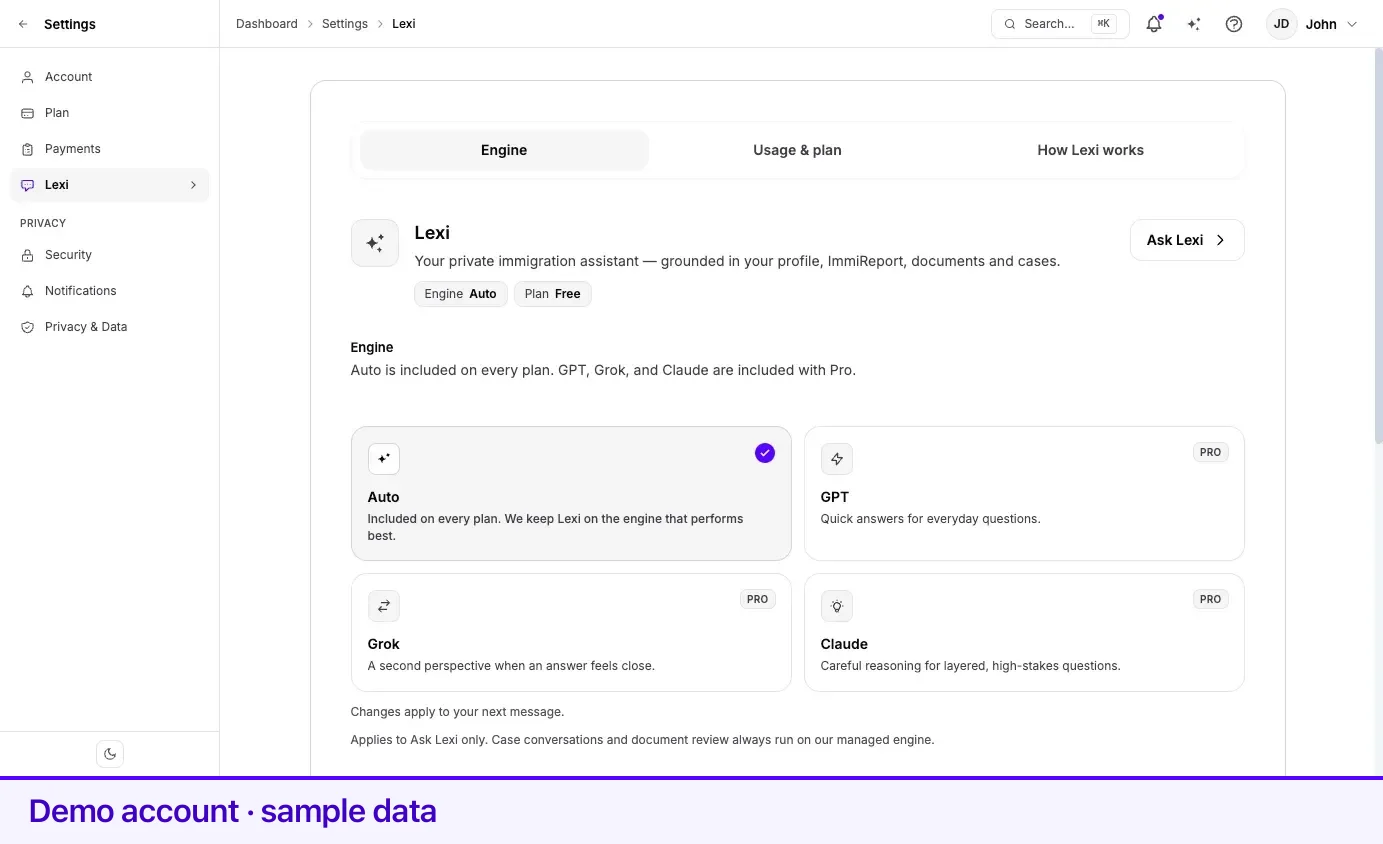
Everything you control about Lexi is on one page: Settings → Lexi. It has three sections — Engine, Usage & plan, and How Lexi works — and a header that shows your current engine and plan side by side with an Ask Lexi button that opens the assistant without leaving the page.
Choosing an engine
Section titled “Choosing an engine”Lexi can run on more than one underlying AI engine. The tiles under Engine are the choices:
| Tile | What it is | Plan |
|---|---|---|
| Auto | No preference stored — Lexpoint keeps Lexi on the engine that performs best. | Every plan |
| GPT | Quick answers for everyday questions. | Pro |
| Grok | A second perspective when an answer feels close. | Pro |
| Claude | Careful reasoning for layered, high-stakes questions. | Pro |
To change it, select a tile. The choice saves immediately — there is no save button — and the page confirms with Saved — Claude answers your next message, or Saved — Lexi is back on Auto if you return to Auto. The Engine chip at the top of the page updates at the same time.
Selecting a Pro engine on a free account opens the upgrade window rather than switching engines. See Plans and billing for what Pro includes.
If the engine list cannot be loaded, the section says so and Lexi keeps running on Auto. Nothing is lost, and your saved preference is unaffected.
Messages this month
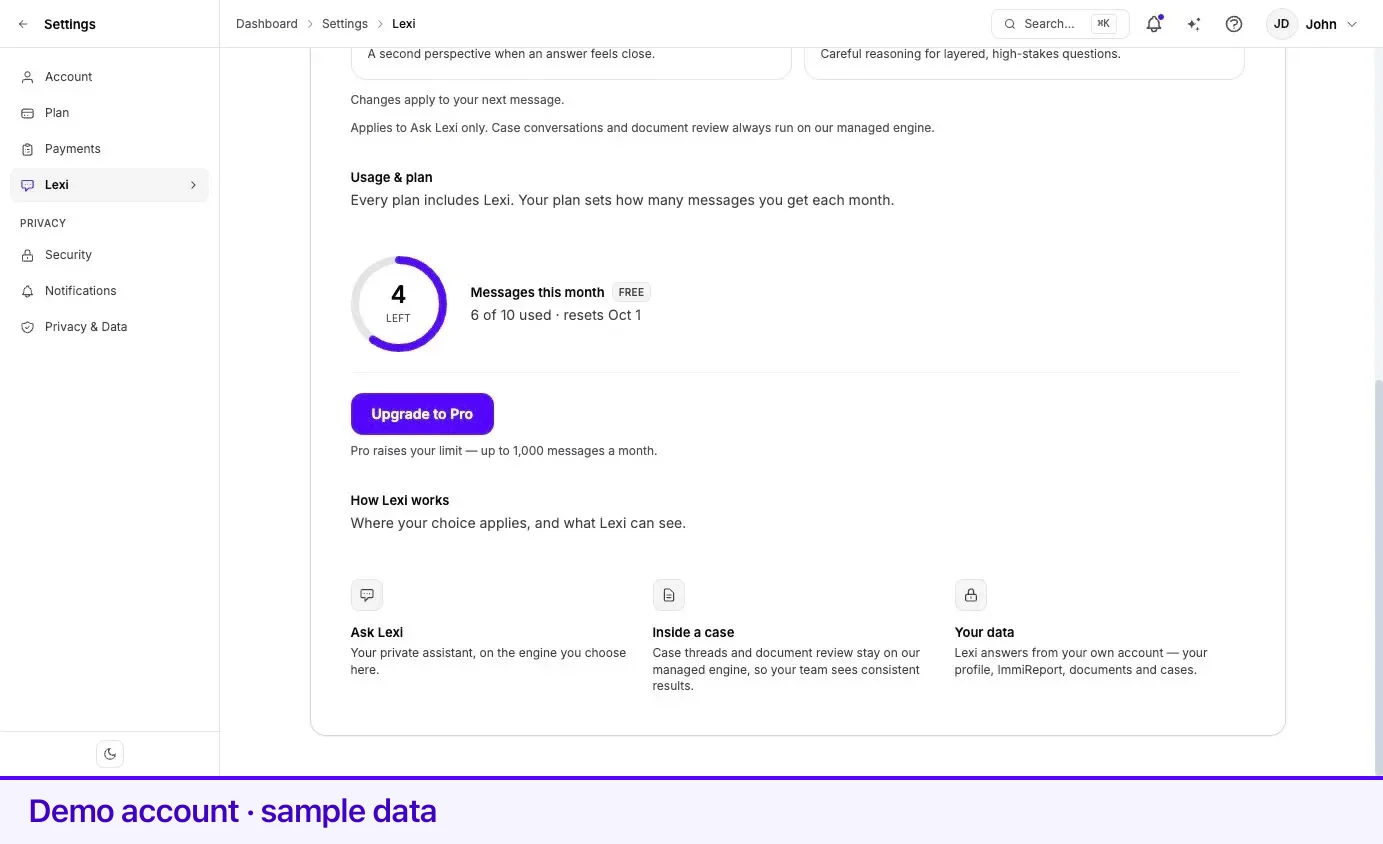
Section titled “Messages this month”Usage & plan shows a ring with the number of messages you have left, the count used against your allowance, and the date your allowance resets.
| Plan | Messages per calendar month |
|---|---|
| Free | 10 |
| Pro | Up to 1,000 |
The period is a calendar month and the counter resets on the first day of the next one — the meter names the date, for example resets Sep 1. When you reach the allowance the line reads limit reached and Lexi stops answering new messages until the reset or an upgrade.
If your account is managed by a partner organization, the ring reads No cap instead of a remaining count, because the allowance is set by that organization rather than by a personal plan.
What Lexi keeps
Section titled “What Lexi keeps”Three things persist between visits.
- Your engine choice. Stored against your account for Ask Lexi. Returning to Auto clears the stored preference entirely.
- Your monthly message count. Reset at the start of each calendar month.
- Your conversations. Ask Lexi chats are saved to your account. The assistant’s opening view lists your recent chats, and View all chats shows the full history, including older conversations that have been closed out. A closed conversation is read-only until you continue it.
What Lexi can see is your own account — profile, ImmiReport, documents, and cases — plus your linked partner’s facts while your accounts are linked. It is not a general web assistant, and it does not read other people’s files. For the full account of what Lexpoint stores about you and how to ask for it, see Privacy and your data.
Related
Section titled “Related”- What Lexi can do — the capabilities behind the settings on this page
- Asking Lexi — where the assistant lives and how to get a useful answer
- Confirmations and limits — what Lexi asks before it changes anything
- Your account settings — plan, billing, security, and privacy
Frequently asked questions
How many Lexi messages do I get?
A free account gets 10 messages per calendar month. Pro raises the allowance to up to 1,000 messages a month. The counter resets on the first day of the next month, and the exact reset date is shown on the usage meter.
Which engine does Lexi use if I never choose one?
Auto. With no stored preference, Lexpoint picks the engine, and Auto is included on every plan. GPT, Grok, and Claude are selectable only with Pro.
Does my engine choice apply everywhere Lexi appears?
No. It applies to Ask Lexi — your private assistant. Case conversations and document review always run on the managed engine, so everyone working on your case sees consistent results.