

Your document vault
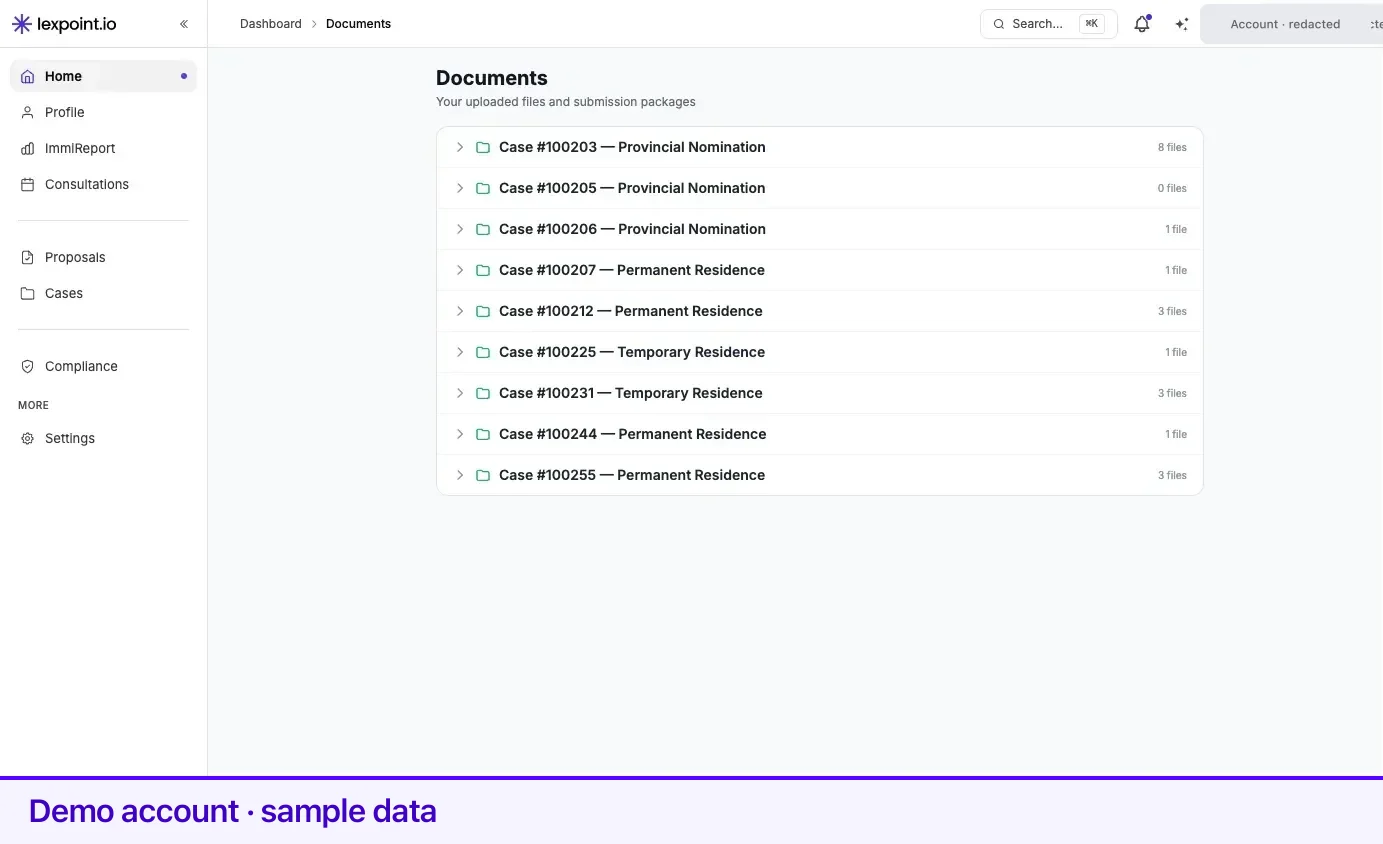
Documents at my.lexpoint.io/app/documents is the single place every file on your cases is listed. The page describes itself as Your uploaded files and submission packages, and that is exactly the split: what you provided, and what Lexpoint produced from it.
The page is read-only. You can open a file or download it, but files are added on the case they belong to — see the Cases section.
Before you start
Section titled “Before you start”Documents becomes available once you have an active case. Before that, the page shows a short message — Documents are available once you have an active case — with a Create a Case button.
How the page is organized
Section titled “How the page is organized”Files are nested three levels deep, as collapsible folders:
| Level | What it is | What the label shows |
|---|---|---|
| Case | One folder per case you are on | Case #<number>, then the case type. The case number links to the case itself. A count on the right shows the total files inside. |
| Applicant | One folder per applicant on that case | The applicant’s name, a status pill, and the number of files. |
| File | One row per file | The file name, with View and a download arrow. |
Everything starts collapsed. Click a case to expand it, then an applicant to see their files.
Only cases where you are the principal applicant or a case member appear, and archived cases are left out. If your case includes a spouse or children, each of them gets their own applicant folder inside the case — the vault is organized by whose document it is, not by who uploaded it.
In Progress and Finalized
Section titled “In Progress and Finalized”Each applicant folder carries one of two pills, and the pill decides what is listed underneath.
In Progress (amber) lists the working files for that applicant:
- Every file attached to a document requirement on their application, listed under its original file name.
- Every form Lexpoint has generated for them, labelled with the form code followed by
(generated) — for example
IMM5257 (generated).
Finalized (blue) replaces that list with the finished output:
- Submission Package v1, v2, and so on — the consolidated package, with its version number.
- The individual bundles that make up the package, each named after the section of the application it covers.
Once an application is finalized, its working files are no longer listed here. The package and its bundles are what the folder shows.
Opening and downloading a file
Section titled “Opening and downloading a file”Hover a file row — on a phone the buttons are always visible — and two actions appear:
- View opens the file in a new tab.
- The ↓ arrow downloads it.
Both go through Lexpoint rather than exposing the storage location, so a link copied out of the address bar is not a way to share a document with someone who does not have access.
What is not here
Section titled “What is not here”The vault lists files that are attached to an application on a case. Two things follow from that:
- A file you have not attached to anything — because a requirement was never created, or the upload did not finish — will not appear.
- A case with no application, or an application with nothing attached yet, shows No documents uploaded yet under the applicant.
If a file you uploaded is missing from this page, the place to check is the case it was uploaded against.
Related
Section titled “Related”- Cases — where files are attached, reviewed, and finalized
- Supported files and limits — what you can upload, and how large
- Review and verification — what happens to a file after it arrives
- Account and access — who can see your file, and how sharing works
Frequently asked questions
Why is my Documents page empty?
Documents lists files attached to an application on one of your cases. Until a case has an application with at least one file attached to a requirement, there is nothing to list. A case with no attached files shows "No documents uploaded yet" under the applicant.
Can I upload a file directly on the Documents page?
No. The Documents page is a read-only view — you can open and download files, but not add them. Files enter the vault when they are attached to a requirement on a case.
Can anyone else see my documents here?
The page only lists files on cases where you are the principal applicant or a case member, and every view or download is re-checked against that access before the file is served. Employers do not have a route into this screen.